
Handling Booking Requests
Last updated 2026-08-06
When a booking arrives
When a traveler books and pays the deposit, you get a push notification and the request appears in the Request tab and on your home calendar (yellow chip).
Each request shows the traveler's name and photo, tour, date, party size, pickup/drop-off, and your PHP price.
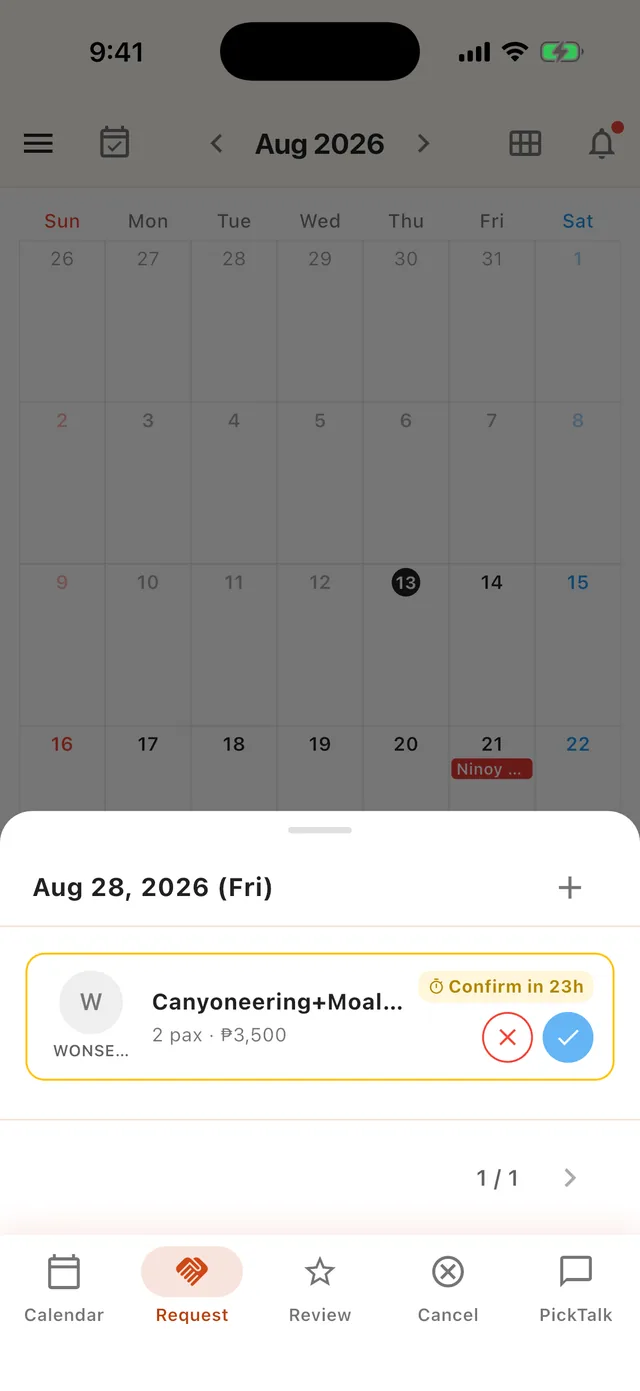 A new request card — confirm countdown with quick ✕ / ✓ actions
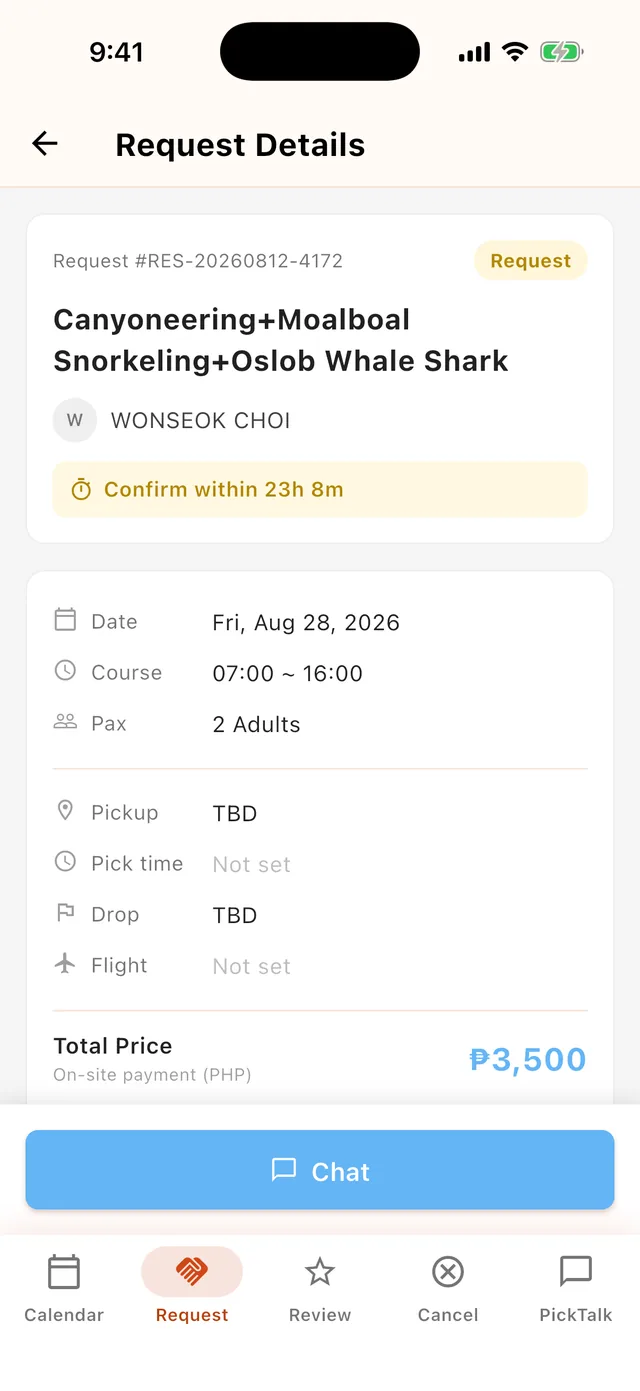 Request details — everything you need before confirming
Confirm within 24 hours
- You have 24 hours to confirm or decline each request. A countdown is shown on the request card, and reminder notifications arrive as the deadline approaches.
- If you don't respond in time, the booking is automatically cancelled and the traveler is fully refunded — repeated timeouts hurt traveler trust, so respond promptly.
- Confirm from the request card, the request detail screen, or directly in the PickTalk chat room.
After confirming
- The calendar chip turns blue, and the traveler is notified.
- Use PickTalk to arrange pickup details (see the PickTalk guide).
- The day before the tour, both you and the traveler receive a D-1 reminder.
- After the tour ends, the booking automatically moves to Completed and the traveler is invited to leave a review.
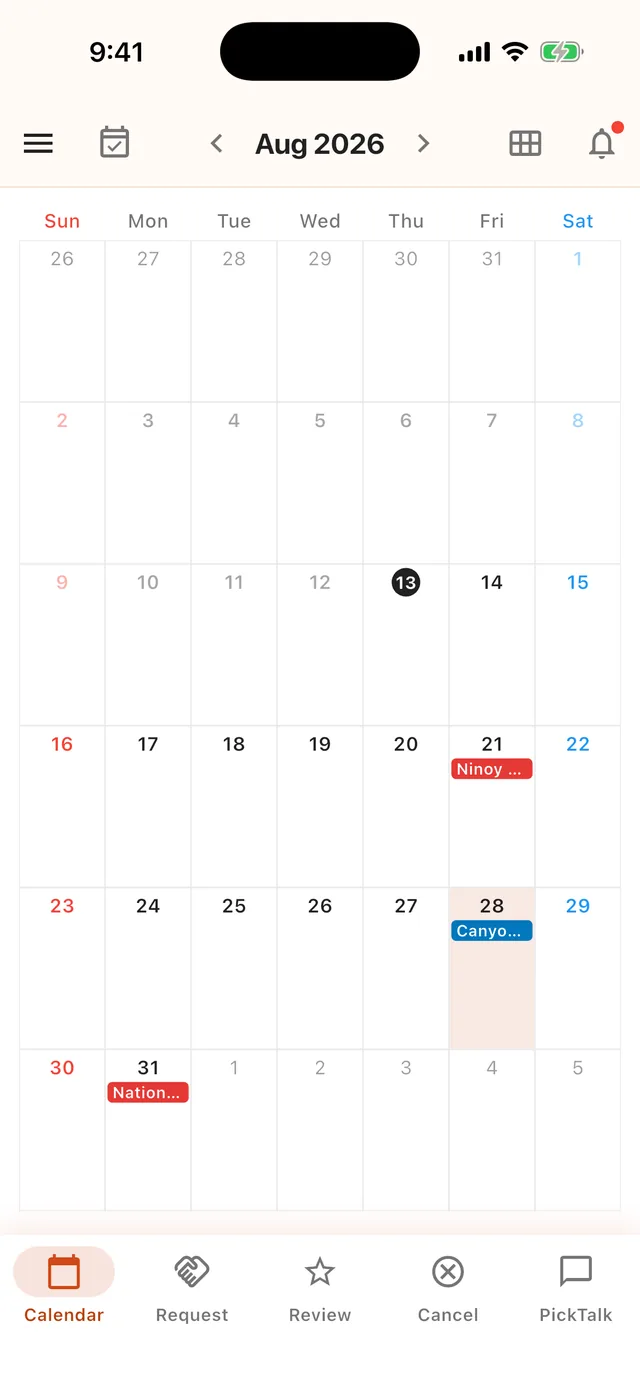 Confirmed bookings appear as blue chips on your calendar
Cancelling a booking
If you truly can't run a confirmed tour (weather, illness, schedule conflict), cancel it with a reason from the card or chat room. The traveler is always refunded 100% when a guide cancels — and frequent cancellations may restrict your account, so only open dates you can actually work.